What a Contamination Recorder Actually Does
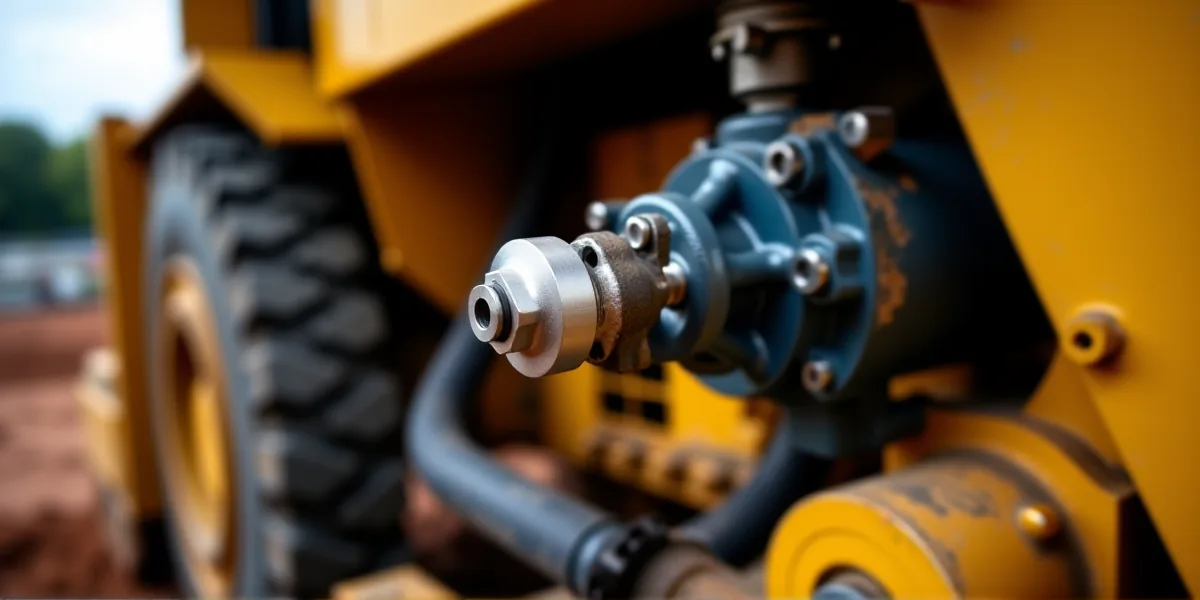
Most Hydraulic failures don’t happen because of a lack of oil; they happen because of dirt in it. Solid particles are the number one killer of precision hydraulic components, scratching pump pistons, scoring valve spools, and wearing out cylinder seals long before they should. A hydraulic oil contamination recorder is an onboard data logger designed to catch this before it becomes a costly repair. Unlike a simple pressure gauge, these systems use optical light-blockage particle Sensors mounted in a bypass sampling loop to count particles of various sizes in real-time. The system converts these counts into ISO 4406 cleanliness codes, sending the data via CAN bus or 4-20mA analog signals to the machine’s ECU and a dedicated recorder for long-term storage.
The value here is preventative. By tracking cleanliness trends, you can detect dirt ingress from failed breathers, filter bypass events, or internal component wear while the machine is still running. The complete measurement chain includes the optical sensor, a critical upstream last-chance filter, the bypass flow control, wiring harness, chassis ground, ECU, and the data recorder itself. Understanding how these pieces work together is essential, because most measurement errors don’t originate in the recorder’s electronics, but in the physical condition of the sensor window or the fluid itself.
Identifying Common Recording Failures
Before you suspect the recorder hardware, you need to know what bad data looks like. The most common issue is a "frozen" static log, where the ISO code and particle count remain unchanged even after a full filter change or fluid flush. This is rarely a software glitch. The primary cause is varnish, sludge, or fine debris coating the optical window inside the particle sensor. Once that window is obscured, the light beam is blocked, and the sensor can no longer detect particles. Other causes include a completely clogged upstream last-chance filter or a broken reference voltage circuit.
Conversely, you might see erratic, spiking data where particle counts jump wildly under steady conditions. In this case, the culprit is usually entrained air bubbles or foam in the Hydraulic oil. Optical sensors interpret air bubbles as large particles, leading to false high readings. Turbulent flow through the bypass loop and poor electrical grounding can also contribute to noisy data. If you see persistent false high contamination alarms but lab tests show clean oil, check for fibrous debris like seal lint covering the window or misconfigured alarm thresholds. Finally, blank readings or gaps in data logs typically point to blown fuses, intermittent 12V/24V power supply issues, or water intrusion into the recorder housing.
Inspection Protocols for Reliability
Proper inspection is about ruling out the environment before blaming the electronics. Always start with lockout/tagout procedures: shut the engine, lower implements, relieve residual pressure, and disconnect the battery before touching any connectors. For daily pre-shift checks, verify the recorder’s power indicators and review live ISO values. Crucially, compare these trends with your filter differential pressure warnings. If the filter is dirty but the contamination recorder shows clean oil, your sensor window is likely fouled.
At the 250-hour service interval, focus on the physical integrity of the system. Inspect the wiring harness for chafe marks, cracked insulation, or corroded Deutsch connector pins. Perform a "wiggle test" by gently moving the wiring while watching the live data; if readings jump, you have an intermittent connection fault. Clean the pins with electrical contact cleaner and apply dielectric grease. Most importantly, inspect and replace the upstream last-chance filter cartridge. This filter is the sensor’s lifeline; if it fails, abrasive particles will destroy the optical window immediately. At the 1,000-hour annual inspection, download the stored logs to analyze long-term trends. Remove the sensor to inspect the optical window for varnish buildup and verify the calibration status. Always back up historical logs before clearing memory, and compare your on-board ISO codes against laboratory particle analysis from a sample taken at the same operating temperature.
Diagnosing Sensor vs. Recorder Faults
When data looks wrong, the goal is to isolate whether the fault lies with the optical sensor, the wiring, or the recorder unit. Start with a power and visual test. If the recorder fails to boot or logs are blank, check the fuses and verify stable 12V or 24V power and a solid chassis ground at the connector. Without stable power, no data is captured.
Next, perform a sensor electrical test. Disconnect the sensor connector at the bypass manifold. With the ignition on, confirm the harness provides the correct reference voltage. Circulate fluid through the sensor and monitor the output signal. If there is no change in signal despite varying particle concentration, the optical window is fouled or the bypass flow is blocked. The definitive diagnostic is the signal substitution test. Disconnect the sensor and use a signal simulator to inject pre-programmed CAN or analog signals representing clean, moderate, and severe contamination. If the recorder stores these simulated values correctly, your wiring and recorder are fine, and the fault is with the optical sensor. If the recorder still fails or shows wrong values, the issue is in the harness or the recorder’s internal memory.
When to Replace the Unit
Do not replace the recorder until you have confirmed the sensor, filters, wiring, and power supply are functional. The recorder should only be replaced if it has sustained permanent physical damage, such as a cracked housing, water corrosion, or a burned circuit board that cannot be repaired. It is also time to replace the unit if signal substitution testing proves it fails to capture valid signals while the sensor tests good. If the internal memory is damaged by voltage spikes or moisture and component-level repair is not economical, replacement is the better option. Additionally, if the recorder cannot be reconfigured to match the machine’s specific communication protocol or flow parameters, and the offset remains outside OEM tolerance after calibration, it is no longer reliable. When installing a new unit, ensure it matches the machine’s CAN bus or analog specification, verify all pinouts, and cross-check the new logs against a calibrated reference meter to ensure accuracy from day one.